
Review SOPs
Staff are generally expected to read and confirm that have read and understood SOPs. To make this possible we have a system that allows users editing an SOP to record that certain Job Titles should review that SOP as well as setting the frequency that they should review it such as Annually or Bi-Annually.
Most likely someone at your pharmacy has asked you to review the SOPs relevant to your job and instructed you to open GuildLink to do this, so let’s get started.
Reviewing an SOP
Section titled “Reviewing an SOP”Reviewing an SOP is really simple.
- Select the Review SOPs option from the AuditLink menu.
You will see all the SOPs that your Job Title is marked as needing to review. You can also see when you last reviewed it and when it is next Due.

To quickly see only those items that are now overdue.
- Select an SOP to view

The SOP will download as a PDF for you to View and optionally, save locally for easy reference.

Click to acknowledge that you have reviewed this item
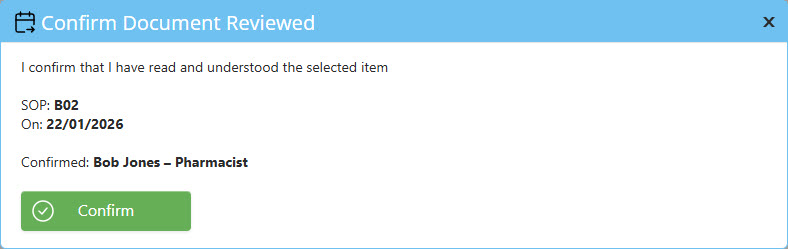
Confirm Document Reviewed
Section titled “Confirm Document Reviewed”You are creating an audit log that says that you have read and understood this SOP. This audit log can be printed and provided to the auditor.
To print the audit to log see SOP Staff Review Audit Log
Click to confirm that you have reviewed this item.
Setting up Reviewing Requirements
Section titled “Setting up Reviewing Requirements”If you are edit SOP content then see Edit SOP for help on setting up SOP View Requirements.